
Quick Verdict
OpusClip is a strong fit when you want a cloud service to analyze a long video and return candidate clips quickly. It is especially useful when the input length is predictable and its credit model matches your publishing cadence.
ClipCombo is a better fit when the bottleneck is the editing workflow after transcription: finding repeated words, fixing subtitles, comparing visual moments, choosing slice boundaries, reframing to 9:16, and exporting a deliberate ordered set of clips.
Where OpusClip Is Strong
OpusClip is optimized for speed from upload to suggested clips. The official help center explains that credits are tied to the duration of submitted video, which makes the model easy to understand when your monthly input volume is stable.
For teams that want cloud automation and do not need local media handling, that can be exactly the right tradeoff.
Where ClipCombo Fits
ClipCombo focuses on long-video editing decisions that still need human taste:
| Need | ClipCombo approach |
|---|---|
| Subtitle cleanup | Word-frequency and transcript review help spot recurring ASR mistakes. |
| Clip selection | Agent-assisted slicing can use ASR text plus visual-keyframe descriptions. |
| Local media workflow | Media stays local; users choose and pay their own AI provider where needed. |
| Vertical output | 9:16 framing and export are workflow gates in paid plans. |
| Ordered export | Clipper workflows can merge selected clips in a chosen order. |
Pricing Lens
Do not compare OpusClip credits against ClipCombo as if both products sell the same thing. OpusClip packages cloud processing. ClipCombo packages workflow capability. ClipCombo subscriptions do not include LLM, VLM, transcription, or other external cloud API costs.
If your team wants “upload and receive clips,” start with OpusClip. If your team wants finer control over local long-form editing, ClipCombo is the alternative to test.
Fact check date: May 14, 2026.
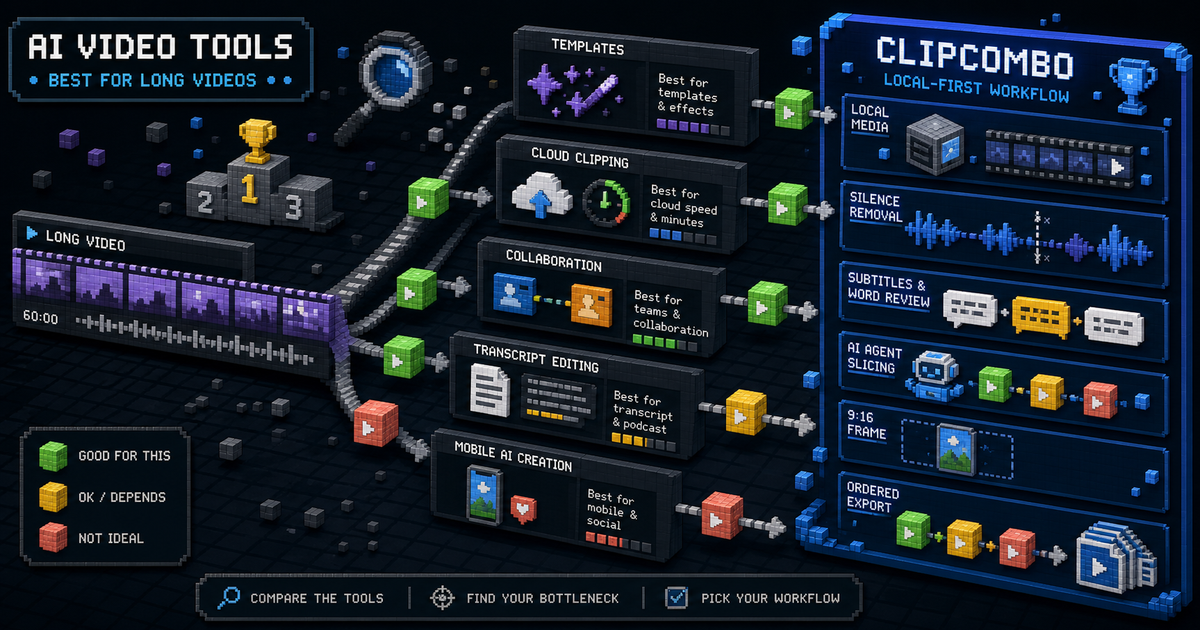
Best AI Video Clipping Tools for Long Videos
Compare CapCut, OpusClip, Vizard, Kapwing, Captions, Descript, and ClipCombo for turning long videos into short clips.

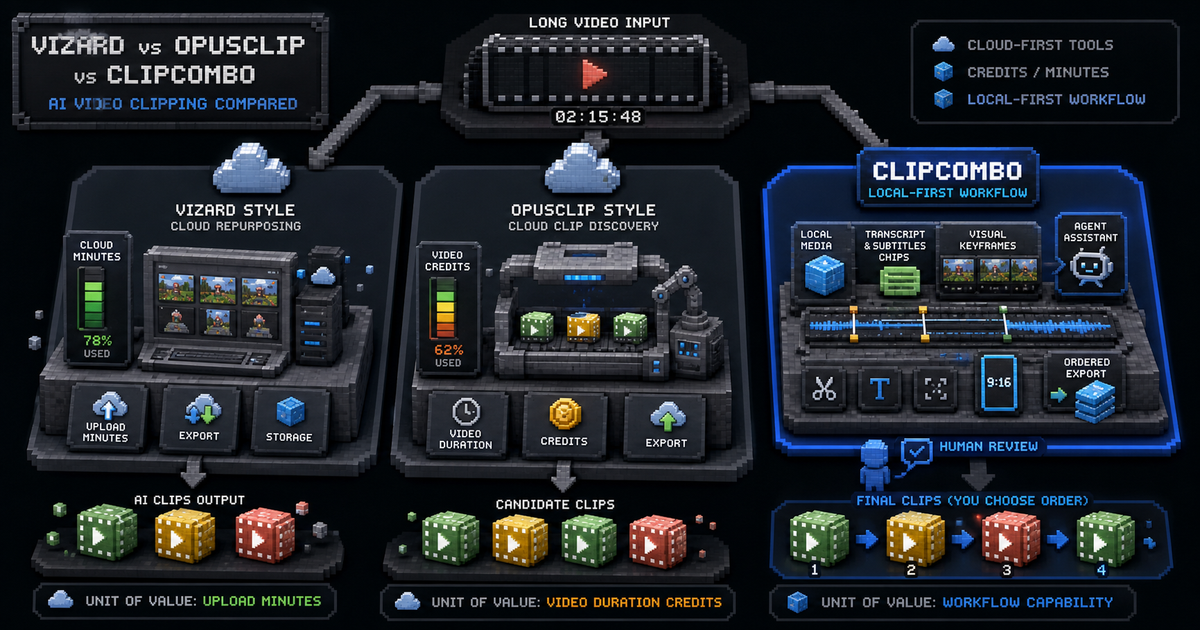
Vizard vs OpusClip vs ClipCombo for AI Video Clipping
Compare Vizard, OpusClip, and ClipCombo across credits, export limits, local-first workflow, subtitles, and long-video repurposing.