Quick Verdict
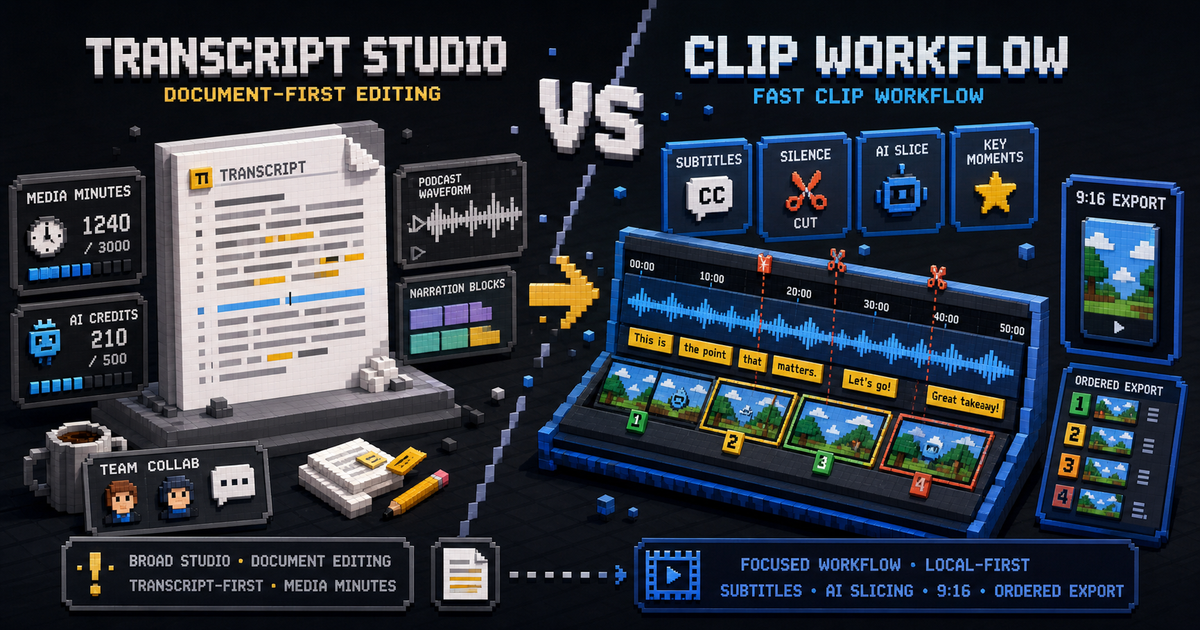
Descript is a broad transcript-first editing studio. It is useful when your editing model starts with text and expands into podcasts, screen recordings, overdub-style workflows, collaboration, and a larger media workspace.
ClipCombo is narrower. It is for creators who need to turn long videos into short clips with subtitles, silence removal, Agent-assisted slicing, vertical framing, and ordered export.
The Main Difference
Descript turns editing into a document-like experience. ClipCombo turns clipping into a timeline and transcript workflow.
| Question | Descript | ClipCombo |
|---|---|---|
| Best starting point | Transcript/document editing. | Long-video clip selection. |
| Usage model to inspect | Media minutes, AI credits, and top-ups. | Workflow plan gates, with external AI costs separate. |
| Subtitle workflow | Part of a larger editing suite. | Central to ASR review and clip cleanup. |
| Local-first posture | Cloud workspace. | Local media workflow first. |
When Descript Is Better
Use Descript if you want a complete editorial workspace, especially for podcasts, narration, screen recordings, and text-based edits. The official pricing materials mention media hours, AI credits, and top-ups, so teams should map expected imports and AI actions before choosing a plan.
When ClipCombo Is Better
Use ClipCombo if your main job is repeated long-video clipping. Word-frequency review helps catch recurring subtitle mistakes. Visual-keyframe descriptions can give an Agent more context for slice suggestions. 9:16 export and ordered merge export keep the workflow focused on short-form publishing.
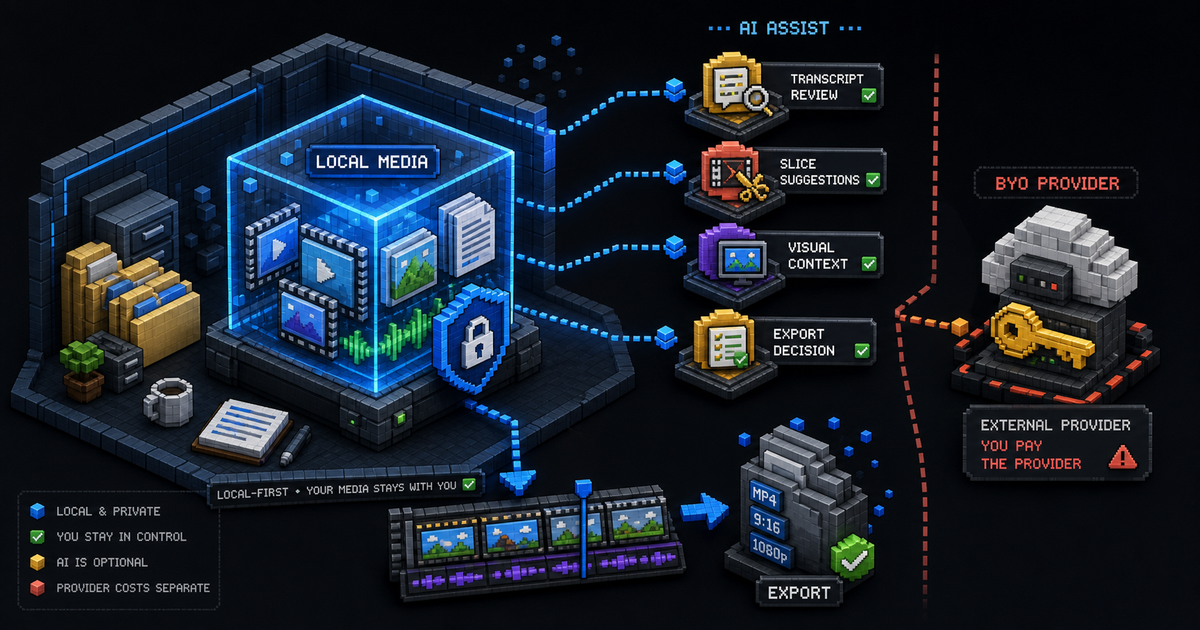
ClipCombo paid plans do not include cloud model usage. If a workflow uses a provider key, that cost belongs to the user and provider.
Fact check date: May 14, 2026.
Best AI Video Clipping Tools for Long Videos
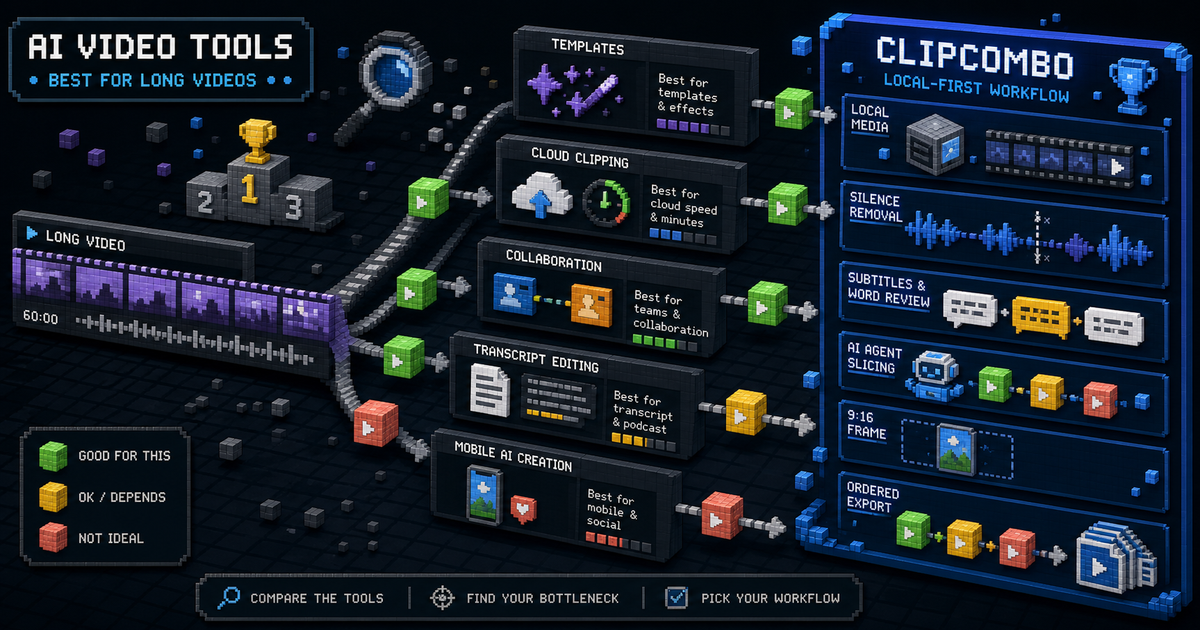
Compare CapCut, OpusClip, Vizard, Kapwing, Captions, Descript, and ClipCombo for turning long videos into short clips.

What a Local-First AI Video Editor Means for ClipCombo
ClipCombo keeps media workflow local-first while using AI as an optional assistant for transcript review, slicing, visual context, and export decisions.