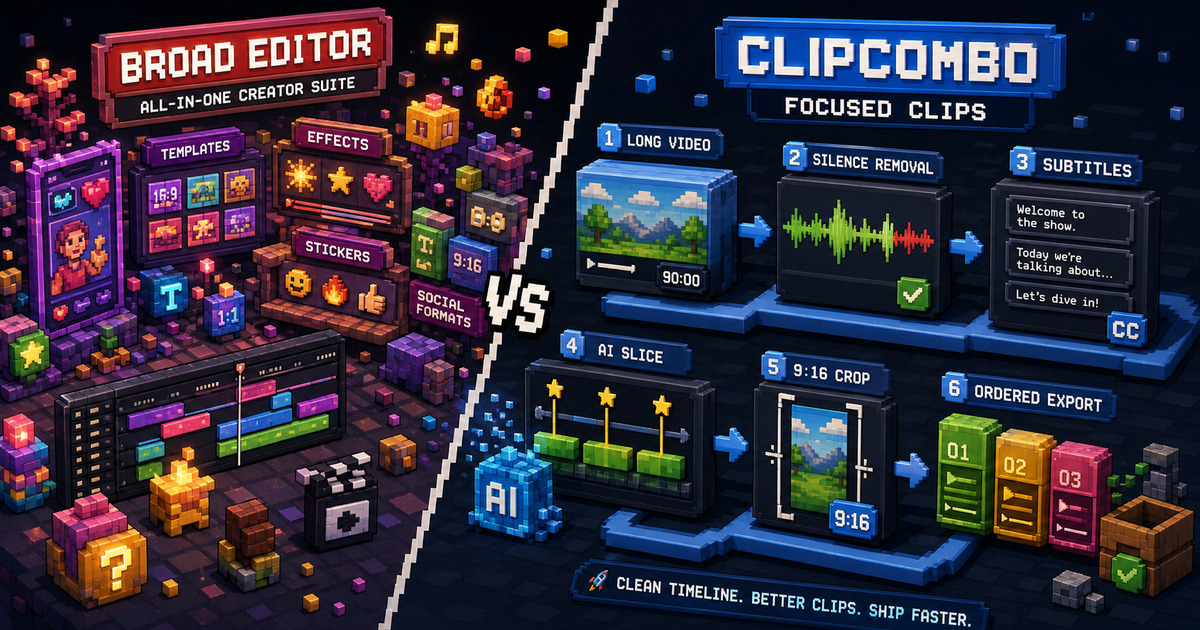
Quick Verdict
CapCut is not just an AI clipping tool. It is a large creator editing suite with templates, effects, social formats, mobile and desktop surfaces, and paid Standard/Pro subscription options.
ClipCombo should not try to beat CapCut on template volume. ClipCombo is a CapCut alternative only for a specific job: taking long recordings and turning them into selected, captioned, vertical clips with a local-first workflow.
Compare The Jobs
| Job | CapCut | ClipCombo |
|---|---|---|
| Social templates and effects | Strong fit. | Not the focus. |
| Long recording cleanup | Possible, but broad editor workflow can be heavy. | Built around silence removal, subtitles, and timeline slicing. |
| ASR subtitle correction | Available in creator workflow. | Word-frequency review helps find repeated transcript mistakes. |
| AI-assisted clip decisions | Depends on CapCut feature availability and plan. | Agent slicing can use transcript and visual-keyframe context. |
| Provider control | Cloud features are product-controlled. | Users bring and pay their own provider keys where applicable. |
Why Long Videos Need A Narrower Tool
Long videos create a different workflow from short-form editing. You need to find the useful sections, remove dead air, correct repeated caption errors, and export multiple clips without losing the original structure.
ClipCombo’s first paid tier is designed for that middle step. It unlocks the word-frequency panel, Agent-assisted slicing, vertical crop/export, and ordered merge export. The point is time saved, not a bigger effects library.
Pricing Note
CapCut plan availability and price can vary by region, device, and current offer. Re-check the official CapCut pages and the app purchase screen before making a budget decision.
ClipCombo subscriptions do not include any LLM, VLM, or other cloud API calls. Paid plans unlock workflow features; external provider usage is separate.
Fact check date: May 14, 2026.
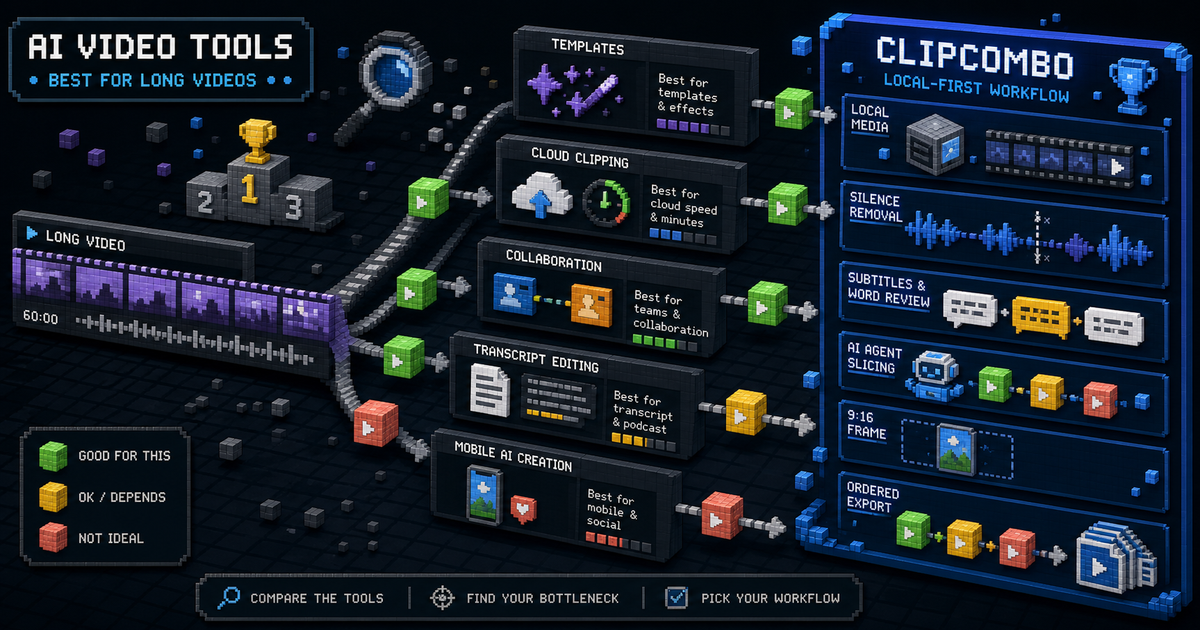
Best AI Video Clipping Tools for Long Videos
Compare CapCut, OpusClip, Vizard, Kapwing, Captions, Descript, and ClipCombo for turning long videos into short clips.

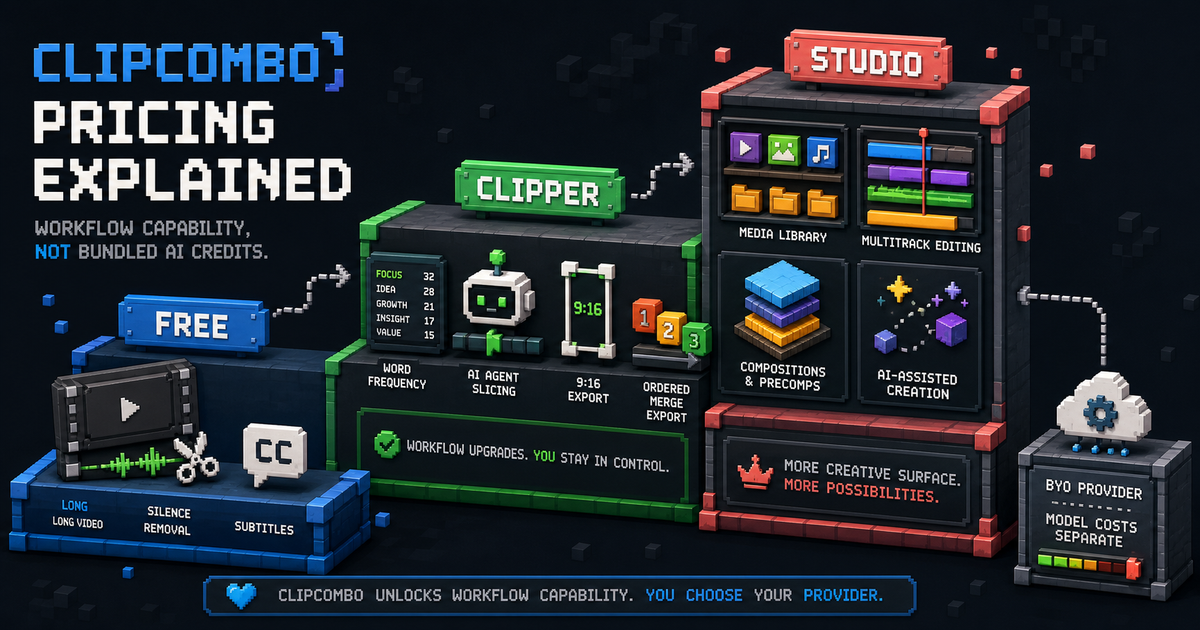
ClipCombo Pricing Explained: Free, Clipper, and Studio
Understand ClipCombo's planned pricing: free automatic clipping, Clipper workflow upgrades, Studio multi-track creation, and no bundled model usage.