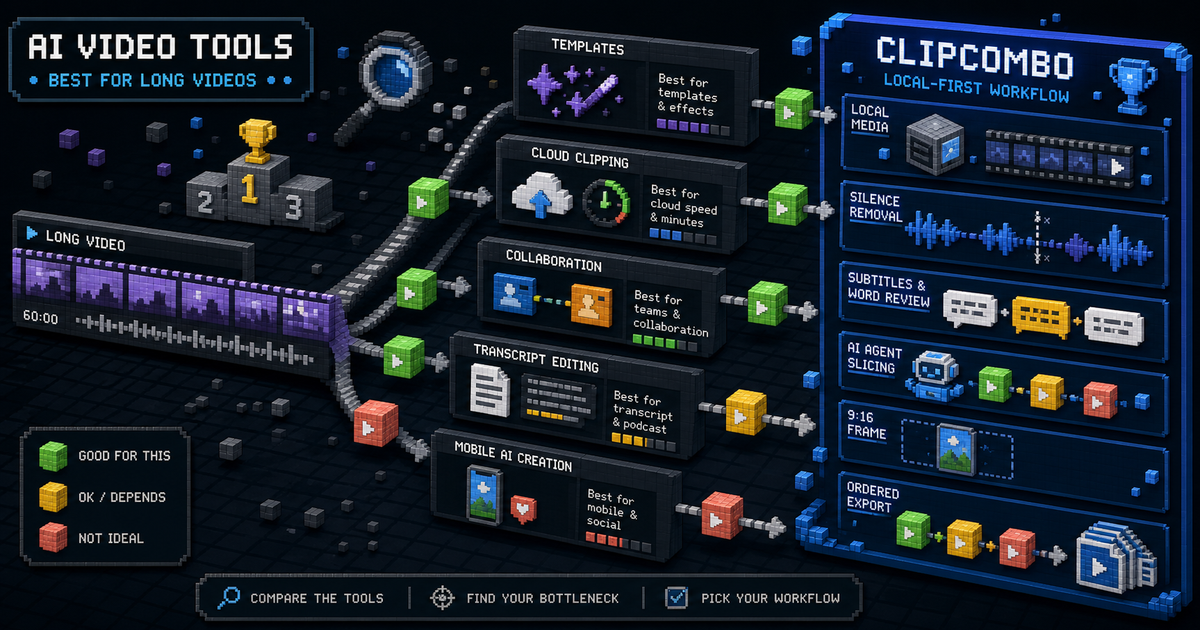
Quick Verdict
The best AI video clipping tool depends less on the word “AI” and more on where your bottleneck sits.
Choose CapCut when you want a broad creator editor with templates, mobile workflows, and social-first polish. Choose OpusClip or Vizard when you want a cloud service to process long inputs into candidate clips. Choose Kapwing or Descript when the broader editing workspace matters as much as clipping. Choose Captions when mobile-first AI creation and generated video features matter.
Choose ClipCombo when you already have long media locally and want a local-first workflow for silence removal, ASR subtitles, word-frequency review, Agent-assisted slicing, 9:16 framing, and ordered multi-clip export. ClipCombo’s paid plans gate workflow capability, not bundled cloud model usage.
Comparison Matrix
| Tool | Best fit | Watch for |
|---|---|---|
| CapCut | Template-heavy creator editing and broad social publishing workflows. | Plan names, available Pro features, and prices can vary by region and platform. |
| OpusClip | Fast cloud clipping from long videos, especially when processing minutes are acceptable. | Credit usage follows video processing time, so long inputs can consume plan allowance quickly. |
| Vizard | Repurposing webinars, podcasts, and recordings with cloud credits and editor export controls. | Free export and storage limits matter before a team standardizes on it. |
| Kapwing | Browser-based collaborative editing plus AI assist features. | Subscription model and workspace limits should be checked against team size. |
| Captions | Mobile-first AI video generation, captions, avatars, and social formats. | Its strongest features are broader AI creation, not only long-video clipping. |
| Descript | Transcript-first editing, podcast/video production, and team media workflows. | Media minutes and AI credits can become the real budget constraint. |
| ClipCombo | Local-first long-video clipping with BYOK AI workflow controls. | Not a cloud credit bundle; users pay any external provider directly. |
Why ClipCombo Is Different
Most AI clipping products sell cloud processing capacity. ClipCombo is designed around the editing workflow itself: clean the timeline, inspect transcript terms, let an Agent suggest slices from ASR and visual-keyframe context, frame for 9:16, then export clips in the order you choose.
That means ClipCombo is not trying to replace CapCut’s template ecosystem or Descript’s full studio. It is narrower on purpose: make long-video-to-short-video work faster while keeping local media and provider choice explicit.
Pricing And Usage Notes
When comparing plans, do not only compare monthly prices. For cloud tools, check credits, upload minutes, export quality, storage windows, watermark removal, and whether AI features are quota-limited. For ClipCombo, check which workflow capabilities are unlocked, because ClipCombo does not include LLM, VLM, or other external cloud API calls in the subscription.
Fact check date: May 14, 2026.
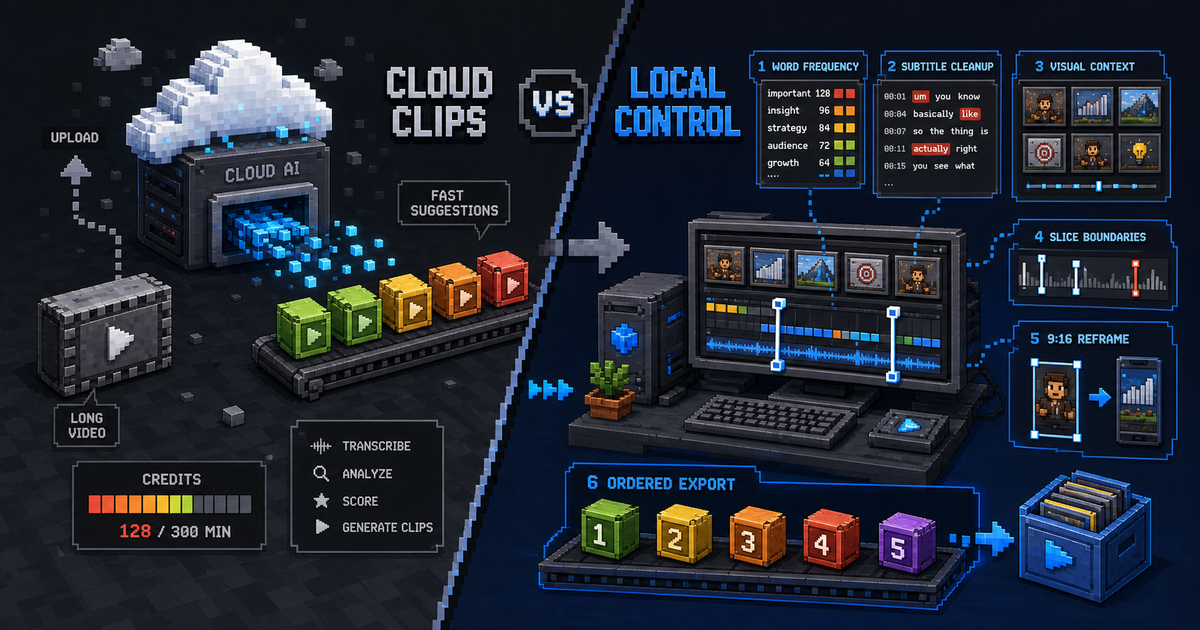
OpusClip Alternative: When a Local-First Clipping Workflow Fits Better
Compare OpusClip and ClipCombo for long-video clipping, credits, subtitles, Agent-assisted slicing, and bring-your-own-provider workflows.

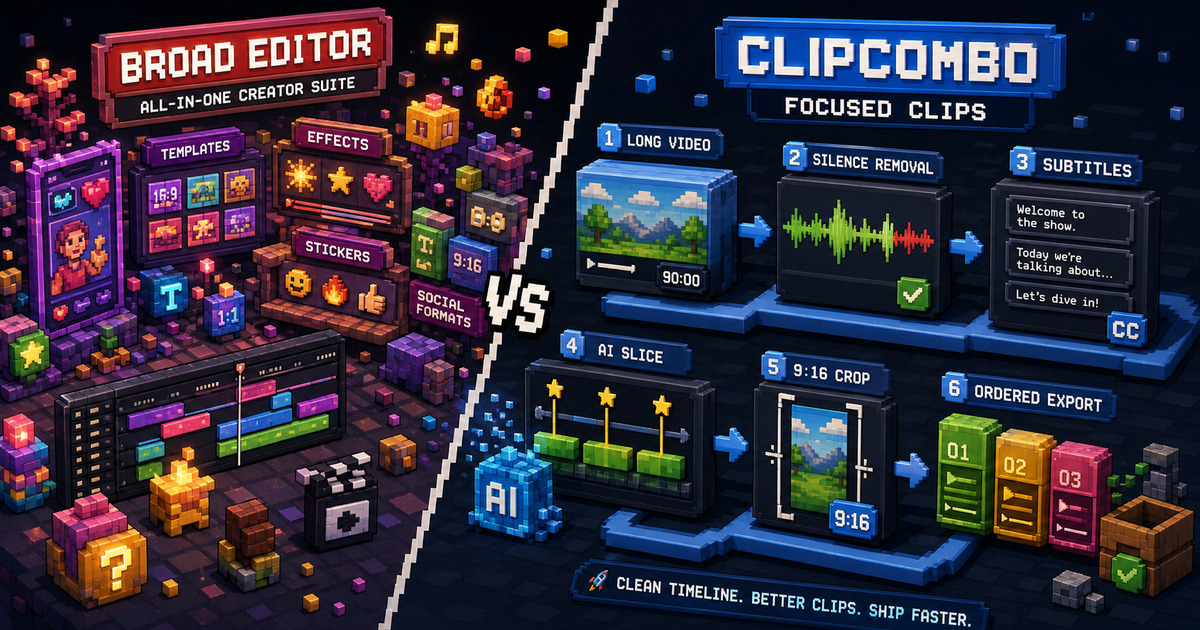
CapCut Alternative for Long Videos: Where ClipCombo Fits
CapCut is a broad creator editor. ClipCombo is narrower: silence removal, subtitles, Agent slicing, 9:16 crop, and ordered clip export for long videos.