Quick Verdict
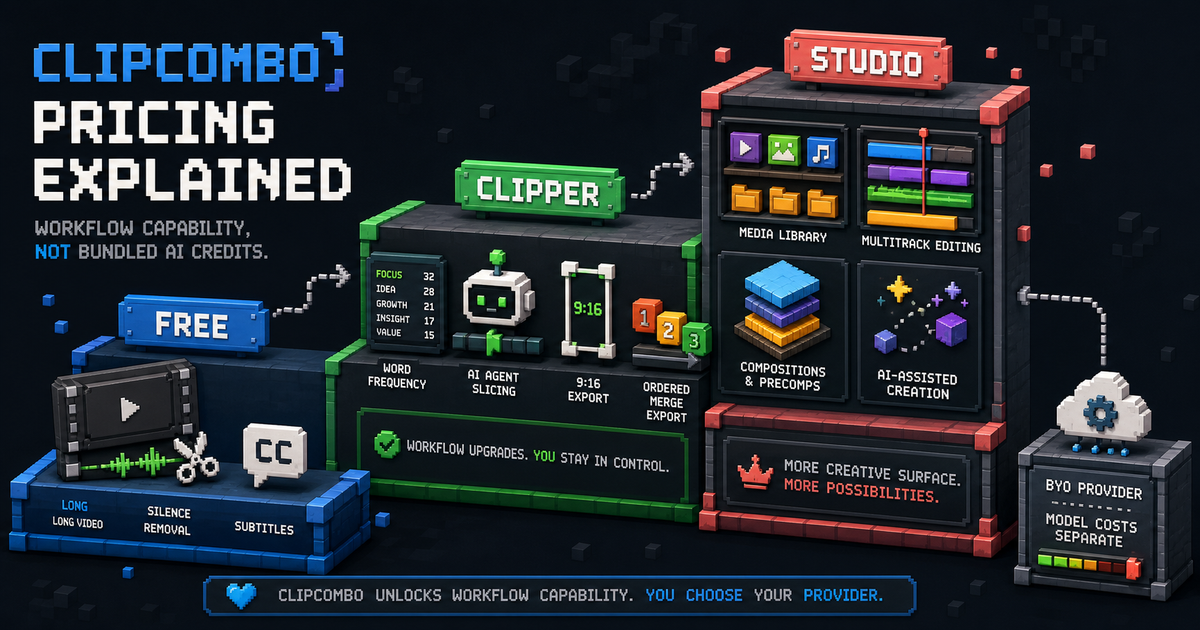
ClipCombo pricing is designed around workflow capability, not bundled AI usage.
The free experience should help users feel the core loop: remove silence, cut a long video into clips, and add subtitles. The paid plans are for people who want to move faster or create more complex videos.
Free
The free plan is the acquisition wedge. It should make ClipCombo useful before the user pays:
| Free capability | Why it matters |
|---|---|
| Automatic silence removal | Proves time saved immediately. |
| Basic slicing | Lets users turn long media into candidate clips. |
| Subtitle generation/editing workflow | Makes clips easier to review and publish. |
The free plan should not hide the product’s core promise. It should create the “this already saved me time” moment.
Clipper
Clipper is the first paid plan for users who clip long videos regularly. The planned price point is around $8/month.
Clipper unlocks workflow accelerators:
| Clipper feature | User value |
|---|---|
| Word-frequency panel | Quickly find repeated ASR mistakes and important terms. |
| AI Agent slicing | Use transcript and visual-keyframe context to propose useful slices. |
| 9:16 crop and export | Prepare vertical clips for short-form platforms. |
| Ordered merge export | Export selected clips in the sequence the user chooses. |
Clipper is for efficiency. The user still owns external provider usage when they bring a model/API key.
Studio
Studio is the higher tier for complex creation, planned around $20/month.
It is for users who need a material library, multi-track editing, composition, and AI-assisted multi-track creation. The upgrade story is not “more credits.” It is “more creative surface area.”
Model Usage Is Not Included
ClipCombo does not provide bundled LLM, VLM, transcription, or other cloud API usage. If a workflow uses a provider key, the user pays that provider directly.
That keeps ClipCombo’s paid plans focused on product capability: the timeline, transcript workflow, Agent orchestration, framing, export, assets, tracks, and composition.
Fact check date: May 14, 2026.
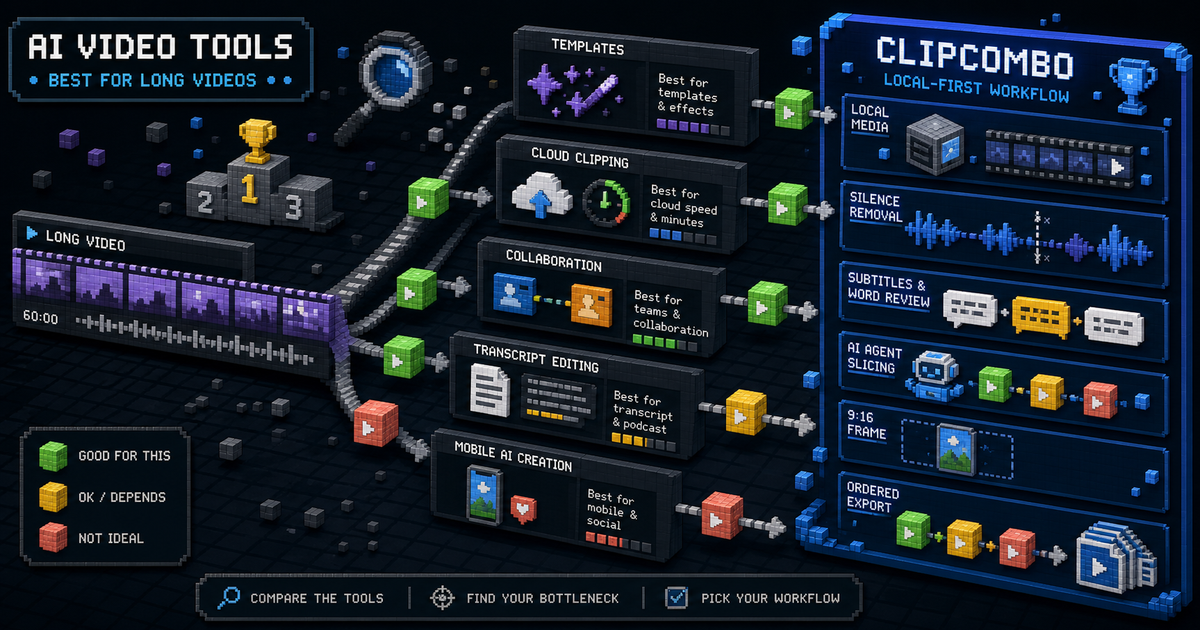
Best AI Video Clipping Tools for Long Videos
Compare CapCut, OpusClip, Vizard, Kapwing, Captions, Descript, and ClipCombo for turning long videos into short clips.

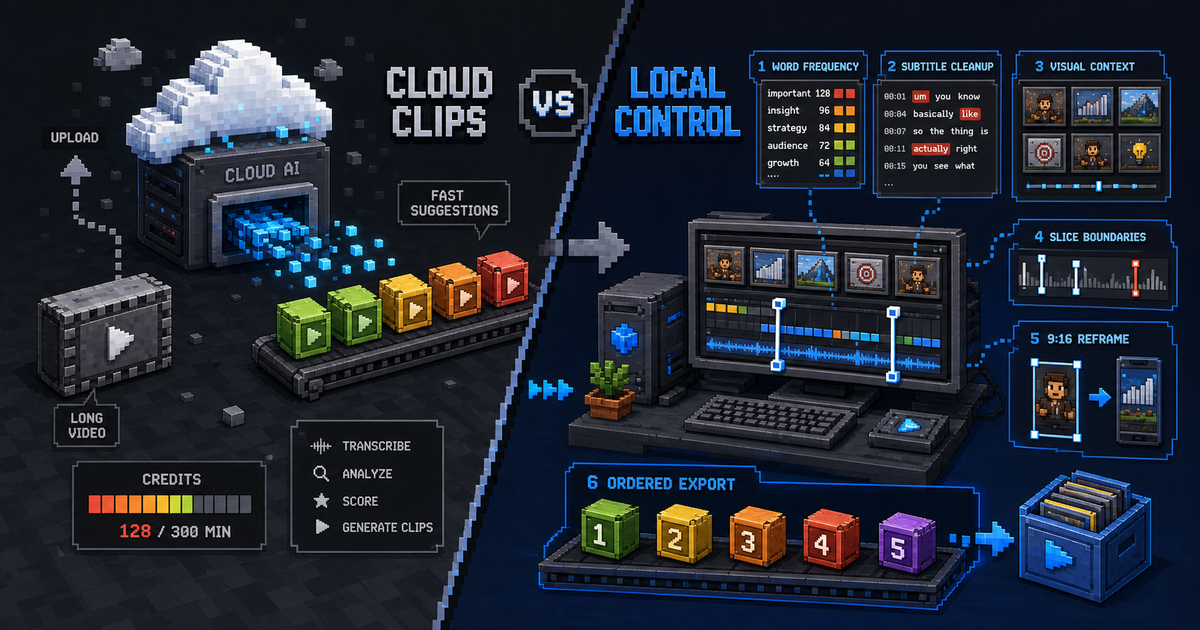
OpusClip Alternative: When a Local-First Clipping Workflow Fits Better
Compare OpusClip and ClipCombo for long-video clipping, credits, subtitles, Agent-assisted slicing, and bring-your-own-provider workflows.