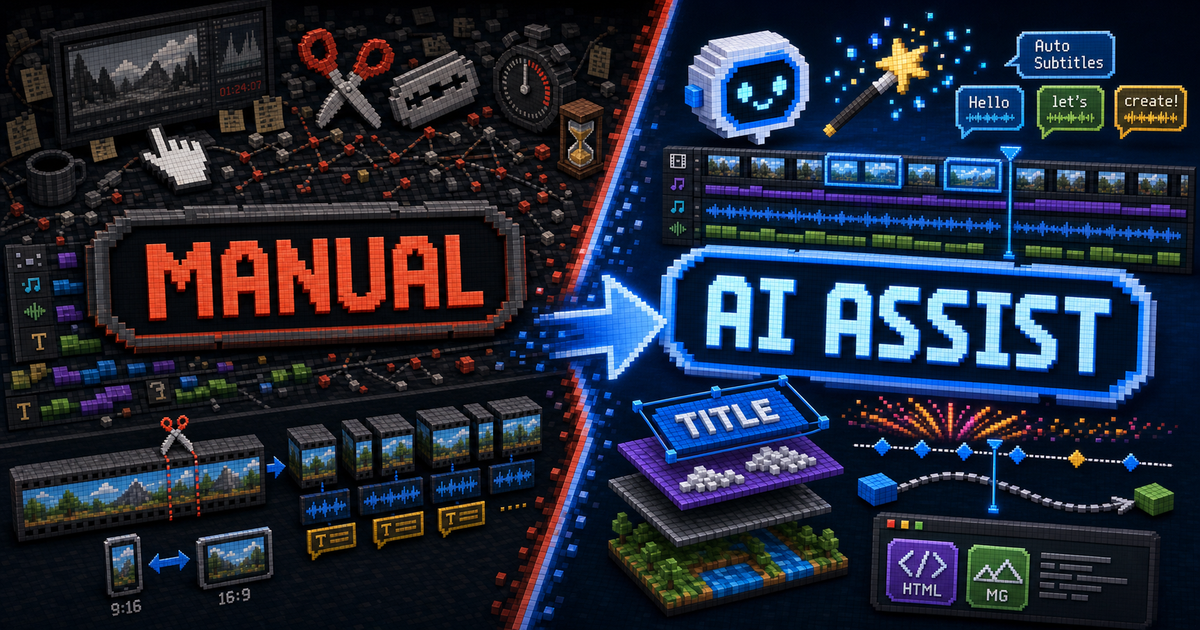
Quick Verdict
ClipCombo started with a simple problem: long videos contain too much material, and creators need a faster way to find usable moments, remove pauses, add subtitles, and export clips.
That is still the root of the product. Clip mode should stay small, fast, and useful: import a source video, transcribe it, detect silence, find highlights, review subtitles, and export publishable clips.
But clipping alone hits a ceiling. Once a creator has a strong clip, they often want to add a meme, a title animation, a data card, a B-roll layer, a split screen, or a visual explanation. Jumping straight from that need into After Effects-level complexity is too much for many editors.
So ClipCombo’s next step is not to make clip mode heavy. It is to add a second layer of the product: composition mode. Clip mode remains the fast path. Composition mode handles multitrack editing, precomps, HTML/MG layers, keyframes, and Agent-assisted motion graphics when the user asks for more expressive control.
The Original Job: Make Text-Heavy Long Videos Faster To Cut
AI clipping works especially well for livestreams, podcasts, interviews, webinars, lectures, and screen recordings because these videos are often text-heavy. ASR turns speech into structured text. LLMs can then understand topics, turns, jokes, claims, sentiment, and dense moments.
That gives ClipCombo a practical first layer:
| Editing drag | ClipCombo’s first layer |
|---|---|
| Finding usable moments | Transcript search, LLM highlight suggestions, source-time mapping |
| Removing pauses | VAD-based silence removal |
| Adding subtitles | ASR captions, subtitle splitting, word-frequency review |
| Preparing vertical clips | 9:16 framing and export controls |
| Handling many candidates | Multi-clip organization and batch export |
CapCut shows how valuable fast captions, filler word removal, and a low-learning-curve timeline can be. OpusClip shows that AI clipping is a real category: users are willing to let a system inspect long video and propose short-form candidates, especially when the system can use visual, audio, and sentiment cues.
ClipCombo learns from both, but with a different boundary: the first step must be fast, local-first where possible, and easy to review.
Why Clipping Alone Is Not Enough
The ceiling appears after the clip is found.
A 45-second podcast highlight can ship with captions only. But if the creator wants the idea to land, they often need visual language:
| Intent | Editing capability needed |
|---|---|
| Emphasize a key sentence | Text animation, scale, outline, reveal timing |
| Add a joke | Meme image, short overlay, sound effect |
| Explain a number | Data card, counter animation, chart motion |
| Compare two people | Split screen, multiple sources, crop and sync |
| Explain a UI flow | Arrows, callouts, screen highlights, MG animation |
Traditional tools put these abilities into complex timelines and property systems. After Effects is powerful because of layers, precomps, nesting, keyframes, and interpolation. It is also demanding: one polished second can take a real hour to design and tune.
CapCut and similar tools live at a different editing ratio. Many creators can spend ten minutes producing a usable fifteen-minute edit because common work is flattened into templates and simple controls.
ClipCombo is aiming at the space between those two worlds:
- Do not force ordinary creators into full After Effects complexity.
- Do not reduce expressive motion graphics to a few fixed templates.
- Let AI generate and adjust the complex animation layer.
- Keep the generated result editable instead of baking it into an opaque video blob.
Two Signals From The Market
The first signal is Remotion. Remotion describes video with React components and renders from composition config such as width, height, fps, duration in frames, and input props. It proves that video can be created with code, data, and reusable components, not only inside a traditional NLE UI.
The lesson is not that ClipCombo should become a Remotion wrapper. Remotion is excellent for trusted developer projects and programmatic templates, but its client-side web renderer is still marked experimental, and commercial usage requires careful license review. ClipCombo needs to keep ownership of its composition document, asset library, timeline, operation history, and local-first workflow.
The second signal is HyperFrames. HyperFrames treats HTML as a video authoring surface, drives time with a seek clock, and captures pixels frame by frame. That is highly relevant for agents because LLMs are already good at writing HTML, CSS, and JavaScript.
The lesson for ClipCombo is direct: HTML/MG should become a first-class layer. A user or Agent can generate a lower third, title card, quote card, data card, UI callout, or GSAP animation. ClipCombo then handles sandboxing, dependency allowlists, frame seeking, exact-frame capture, parent compositing, and export.
What We Learn From Each Tool
| Tool or framework | Public strength | What ClipCombo learns | ClipCombo’s choice |
|---|---|---|---|
| CapCut | Captions, filler word removal, templates, low learning curve | Rough cutting and subtitles must be fast | Keep clip mode focused and approachable |
| OpusClip | AI-generated shorts from long videos, multimodal cues | AI clipping is valuable, and visual context matters | Keep local-first review instead of outsourcing the full decision to a black box |
| After Effects | Precomps, nested compositions, keyframes, layer/property model | Complex video work needs composable layers | Reveal AE-like power progressively |
| Remotion | React video, data-driven rendering, programmatic output | Frame-driven generation is a strong model | Use the ideas, not Remotion as the canonical renderer |
| HyperFrames | HTML-first, agent-first, seek-driven capture | HTML is a high-leverage MG authoring layer | Adopt the browser-capture direction while keeping ClipCombo’s own composition graph |
The principle is simple: external frameworks can inspire adapters, runtimes, and templates, but they do not own ClipCombo’s visual truth.
Product Model: Simple Clip, Advanced Composition
ClipCombo now has two connected editing spaces.
Clip mode answers: “Which parts of this source are worth using?” It revolves around one source video and its transcript, silence ranges, visual keyframes, word-frequency review, highlight suggestions, framing, and clip export.
Composition mode answers: “How do I turn clips and assets into a finished video?” It supports multiple media sources, layers, nested compositions, text layers, shape layers, HTML/MG layers, transforms, opacity, blend modes, keyframes, and future effects.
Users should not need composition mode on day one. If a clip is already good enough, they should export it. If they want a title animation, multiple tracks, split screen, or a generated visual explanation, they create a composition.
Precomposition is the key abstraction. After Effects uses precomps to place selected layers inside a new composition, then use that nested composition as a single layer in the parent. ClipCombo adopts the same mental model: complexity can be folded into a layer, while the details remain editable inside.
This is also good for AI. An Agent can generate a title animation composition. The user places it at the right time and position. If they want to adjust it, they open the precomp and edit copy, color, timing, or keyframes.
The Technical Core: One Frame Has One Truth
The hardest part of multitrack editing and MG is not displaying something. It is making preview and export agree.
The browser DOM is excellent for realtime interaction. Dragging layers, scrubbing, playing video, and zooming the canvas all benefit from DOM and native media. But export needs determinism. Frame 123 must be a function of composition data and time, not a side effect of wall-clock animation.
ClipCombo’s architecture is therefore built around one semantic pipeline:
| Layer | Responsibility |
|---|---|
| Canonical composition document | Stores layers, timing, z-order, source mapping, properties, keyframes, masks, effects, and HTML/MG metadata |
| Property and keyframe evaluator | Computes transform, opacity, audio gain, HTML props, and related values at a specific composition time |
| Composition render plan | Resolves the active layer stack for the current frame |
| Realtime DOM preview | Optimizes interaction speed and acts as a proxy backend |
| Exact-frame preview | Uses the same renderer class as export for parity-sensitive review |
| Deterministic export | Evaluates frames with fixed timestamps, composites them, and encodes with the Canvas/WebCodecs baseline |
That is why ClipCombo avoids the dual-pipeline trap. CSS or DOM preview cannot become the final visual truth if export is done through Canvas, WebCodecs, or GPU adapters. Human edits, keyboard shortcuts, inspector changes, and Agent tool calls must all write through the same composition operation and history layer.
Why HTML/MG Is A First-Class Layer
I use Codex and Claude Code heavily every day, and I also have years of After Effects and Adobe workflow experience. That combination makes one thing feel increasingly clear: the most natural complex visual format for LLMs today is not a private NLE template format. It is HTML, CSS, and JavaScript.
A title card, quote card, data panel, or UI callout maps naturally to HTML. With a runtime like GSAP, an Agent can turn “make this number count up, then pop the keyword” into runnable motion.
But ClipCombo cannot treat HTML/MG as arbitrary web pages. Generated layers should not be able to install packages at runtime, load CDN scripts, access the network, read cookies or secrets, touch the host DOM, or drive export through a free-running ticker.
The product direction is:
- HTML/MG runs in a sandbox.
- Dependencies come from reviewed, pinned, app-bundled allowlists.
- GSAP core is the first approved runtime, but its timeline is driven by ClipCombo frame time.
- Layer-level transform stays outside generated code.
- The generated result remains editable as layer data, props, bindings, and keyframes.
In other words, generated HTML handles the local surface. ClipCombo still controls timing, z-order, transform, opacity, blend mode, undo, review, and export.
The Real Role Of AI
AI should not collapse the whole editing process into one prompt and one mystery result. It should accelerate the different kinds of labor in each stage.
| Stage | Human pain | AI role |
|---|---|---|
| Rough cut | Finding strong moments in a long source | Read ASR, VLM descriptions, visual keyframes, and keywords |
| Cleanup | Removing pauses and fixing captions | Apply VAD, split captions, suggest ASR fixes |
| Fine edit | Organizing timing and assets | Move layers, split clips, assemble compositions through reviewable operations |
| Motion | Creating MG and keyframes | Generate HTML/MG layers, text/shape animation, and editable props |
| Export | Waiting, retrying, diagnosing failures | Provide deterministic export, progress, retry, recovery, and diagnostics |
That is closer to a “pre-Adobe” editing experience: the precision of serious editing, but with the most tedious technical work folded behind an Agent that still leaves the result inspectable.
The Hardest Next Step Is Trust
Multitrack editing, HTML/MG, and Agent editing are exciting. The careful work is preview/export parity.
If users see one subtitle wrap, blend mode, mask, nested composition, or HTML animation in preview and a different one after export, trust breaks. AI-generated visuals need even more reviewability, not less.
So the near-term priority is not more flashy layer types. It is making these guarantees real:
- Exact-frame preview becomes the review surface for parity-sensitive features.
- Deterministic export keeps using the shared render graph and fixed frame timestamps.
- HTML/MG shows explicit fallback or unsupported export states when browser capture is not available.
- Agent-generated content stays inspectable, undoable, and editable.
- Clip mode stays protected from composition complexity.
ClipCombo’s direction is to keep fast clipping fast, then open composition when the user needs more expressive power. The goal is not for AI to make a video the user cannot understand. The goal is to fold away the slow technical labor so creators can spend more time on the edit itself.
What a Local-First AI Video Editor Means for ClipCombo
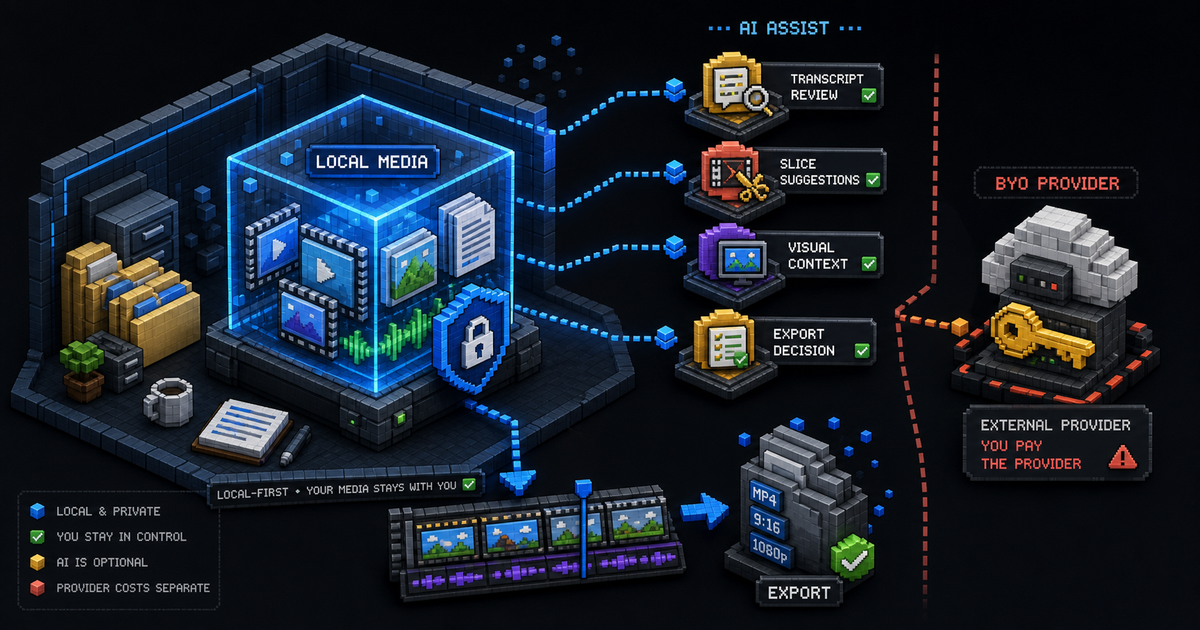
ClipCombo keeps media workflow local-first while using AI as an optional assistant for transcript review, slicing, visual context, and export decisions.

Best AI Video Clipping Tools for Long Videos
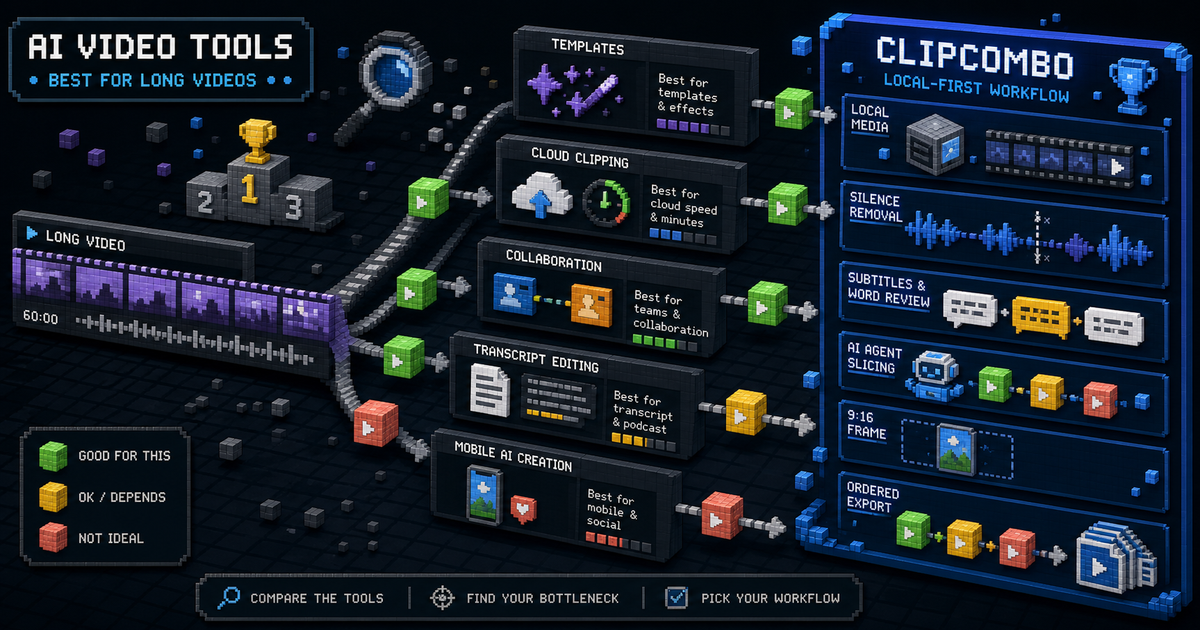
Compare CapCut, OpusClip, Vizard, Kapwing, Captions, Descript, and ClipCombo for turning long videos into short clips.
OpusClip Alternative: When a Local-First Clipping Workflow Fits Better
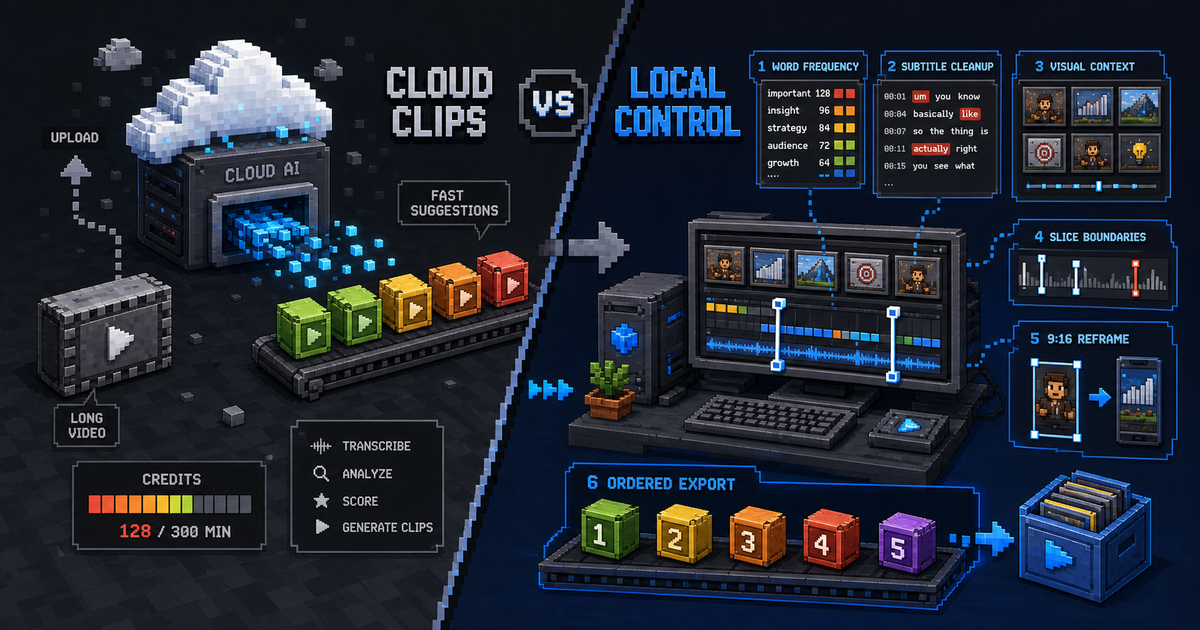
Compare OpusClip and ClipCombo for long-video clipping, credits, subtitles, Agent-assisted slicing, and bring-your-own-provider workflows.